How to Create a Social Media Post
For anyone ready to create and publish a new social media post from scratch.
1
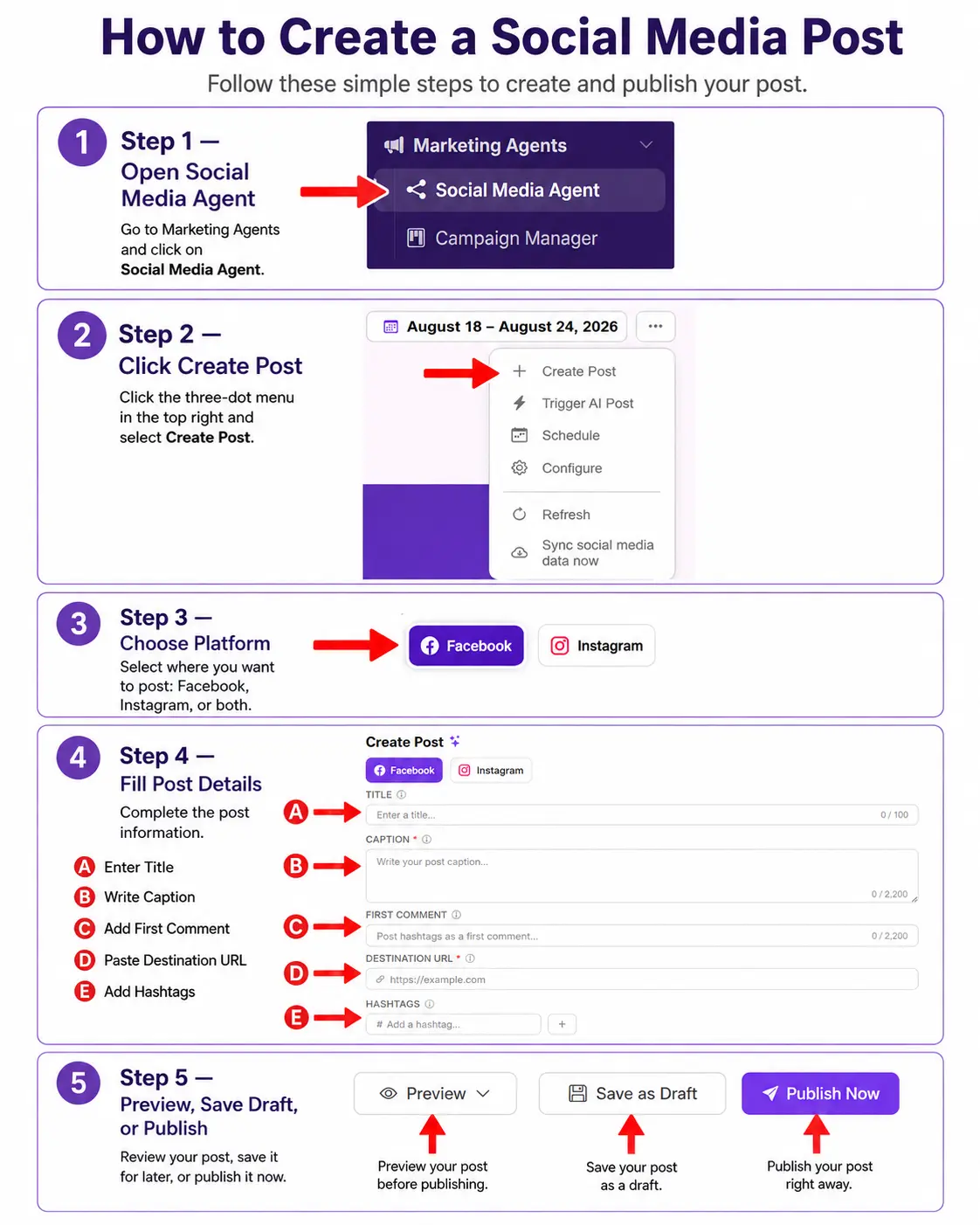
Open Social Media Manager
Go to Social Media & Advertising and select Social Media Manager.
2
Click Create Post
Open the overflow menu and select Create Post.
3
Choose Platform
Select where you want to post: Facebook, Instagram, TikTok, and more.
4
Fill Post Details
Complete the post information:
- Enter Title
- Write Caption
- Add First Comment
- Paste Destination URL
- Add Hashtags
5
Preview, Save Draft, or Publish
Review your post, save it for later, or publish it now.
Related — Full guide: Social Media Manager. Also see: How to Publish a Social Post.