One-Time Messages
What This Guide Does — Shows how to send a one-time message to a group of contacts.
Why It Is Useful — Lets you reach a targeted group of contacts with one message, without messaging them one by one.
Before You Start — An Audience Group and a Message Template should already exist before you create a one-time message.
How to Use It
1
Open Broadcasts
Under Messaging, click Broadcasts.
2
Start a New Broadcast
Click New Broadcast.
3
Name It and Choose the Audience
Enter a message name and select the audience group that should receive it.
4
Choose Channels and Message Templates
Enable each delivery channel, assign its active message template, then click Save Broadcast.
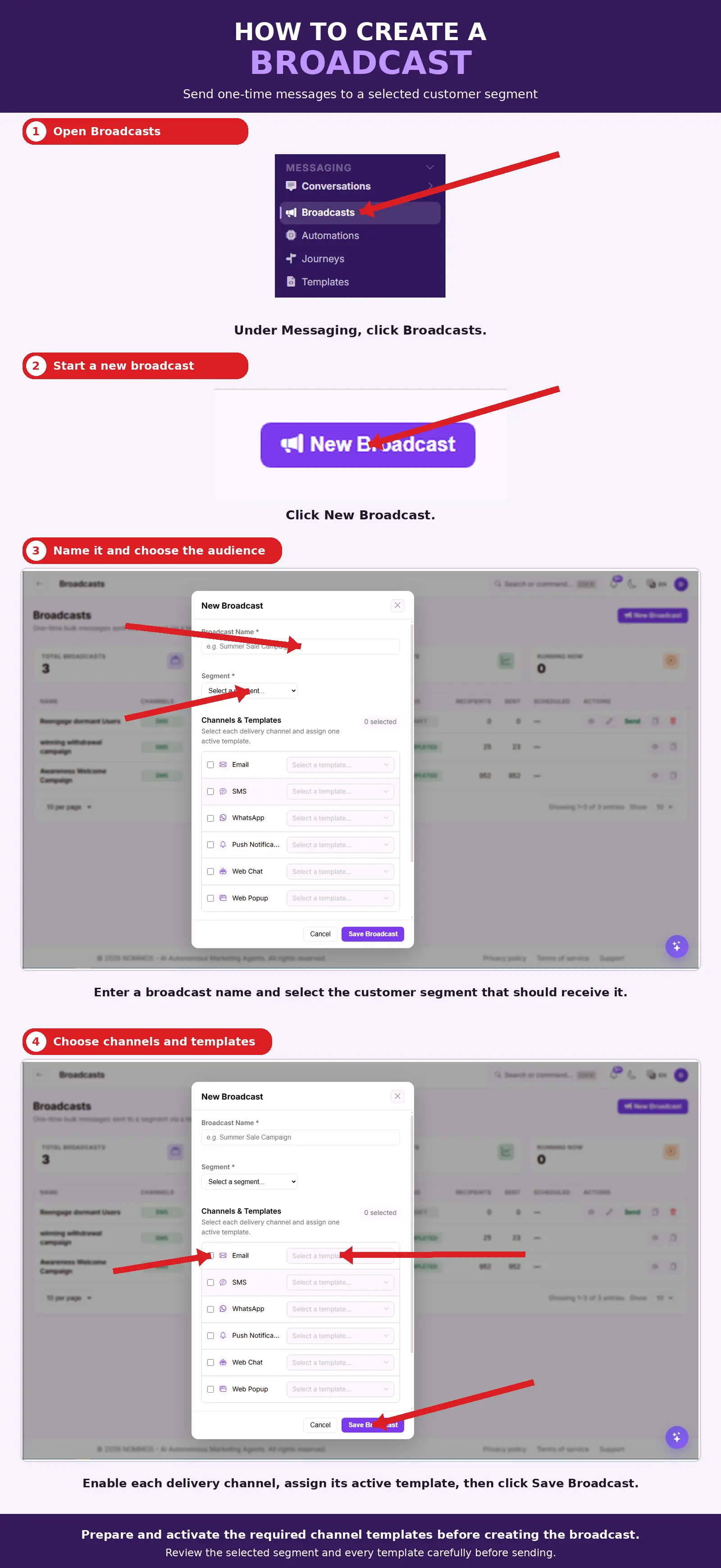
What You Should See — The new message appears in the One-Time Messages list with its selected channels, ready to send to the chosen audience group.
Tips
- Prepare and activate the required channel message templates before creating the one-time message.
- Review the selected audience group and every message template carefully before sending.
Related Guides