
Social Media Agent
MarketingGenerates, schedules and publishes content across eight platforms, then reports what each post did.
Wrote and scheduled this week's posts for Instagram, LinkedIn and TikTok — each written for its own platform.
Most AI marketing tools draft a caption and stop there. Nommos runs seven specialist agents that publish posts, manage ad campaigns, build CRM journeys and answer customers — on your accounts, on a schedule, at the level of autonomy you set.
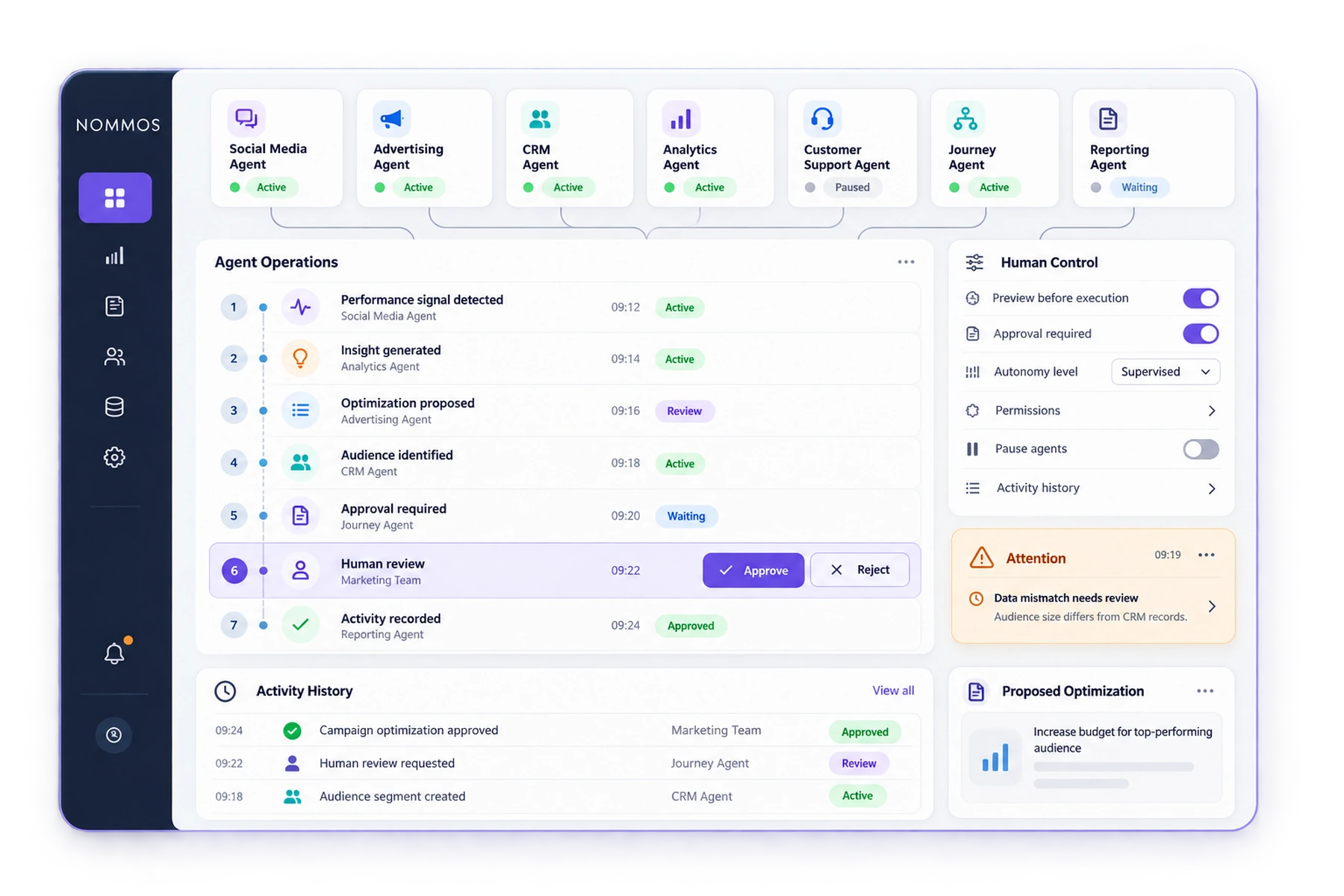
Both use language models. The difference is what happens after the text is written — who publishes it, what it is based on, and who can see what happened.
Each agent owns a slice of the operation and reads from the same record as the others. Enable them one at a time — a new workspace starts with all of them off.
Generates, schedules and publishes content across eight platforms, then reports what each post did.
Manages campaigns across five ad networks — creation, creative generation, monitoring and optimisation.
Watches on-site behaviour, builds the funnel picture, and powers heatmaps and session replay.
Produces personalised recommendations per customer and reports how they perform.
Handles inbound messages across social, WhatsApp and Telegram, and escalates when a person is needed.
Answers website visitors from your own documents, and hands over to a person when it should.
Builds segments, broadcasts, journeys and automations from a plain-language request — and waits for approval.
The Social Media and Advertising agents publish and manage campaigns. The CRM and Customer Interaction agents work from contacts, journeys and the inbox. The Tracking Module Agent reads what happens on your site. Each acts inside its own module, so its work lands where you would look for it.
Automation loses trust when it fails quietly. Every agent reports where it is, and says so when it cannot run.
The question is never whether the AI is trustworthy in general. It is what this agent is allowed to do on your account today — and that is a control you hold.
The Social Media Agent has a publishing mode. Auto Publish sends posts at their scheduled time. Preview First holds everything as drafts in an approval queue until you release it. Same agent, same work — you choose which.
Set per agent. Change it whenever you like.
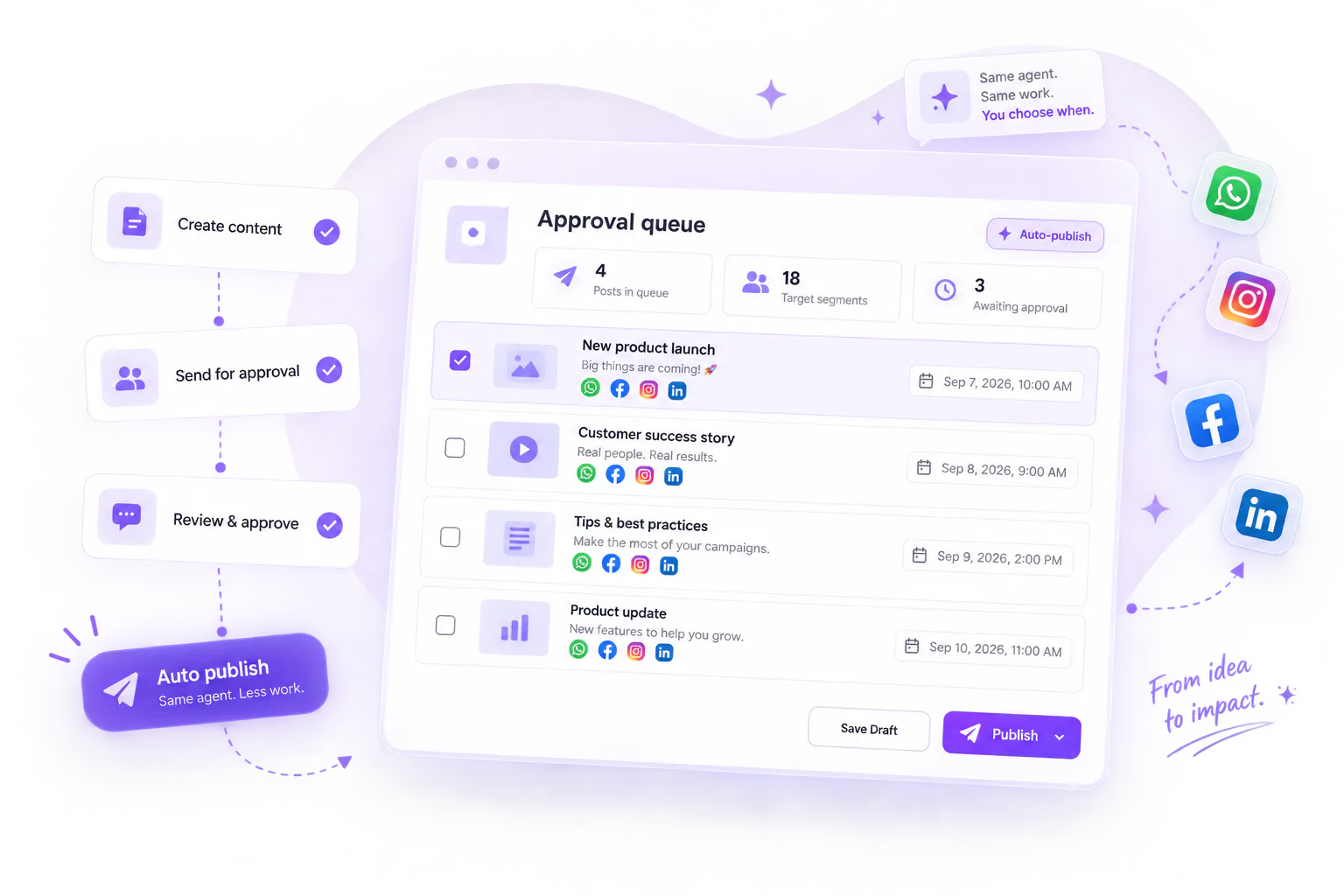
Generated content arrives with its platform, text, hashtags, links, media and scheduled time. Edit any of it in place — including swapping the image — then approve, reject or skip. Promotional items also show the code, the discount, the validity window and the target segment.
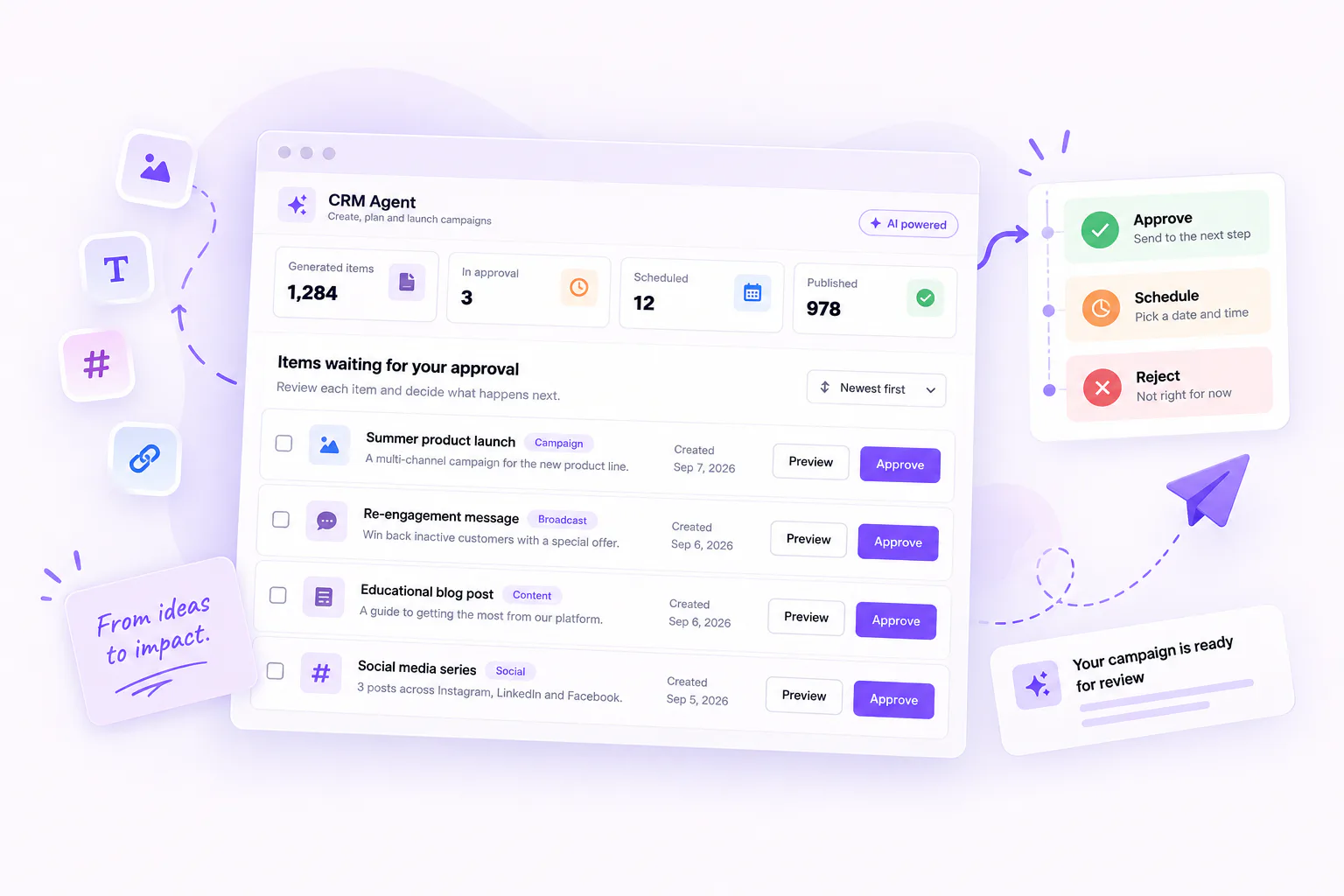
Ask the CRM Agent for a campaign and it does not go and build one. It returns what it intends to create, with a draft preview of each item and an estimate of the audience size. You choose Create All, Modify Plan or Cancel — and what it creates arrives as drafts. Sending stays a separate, deliberate action.
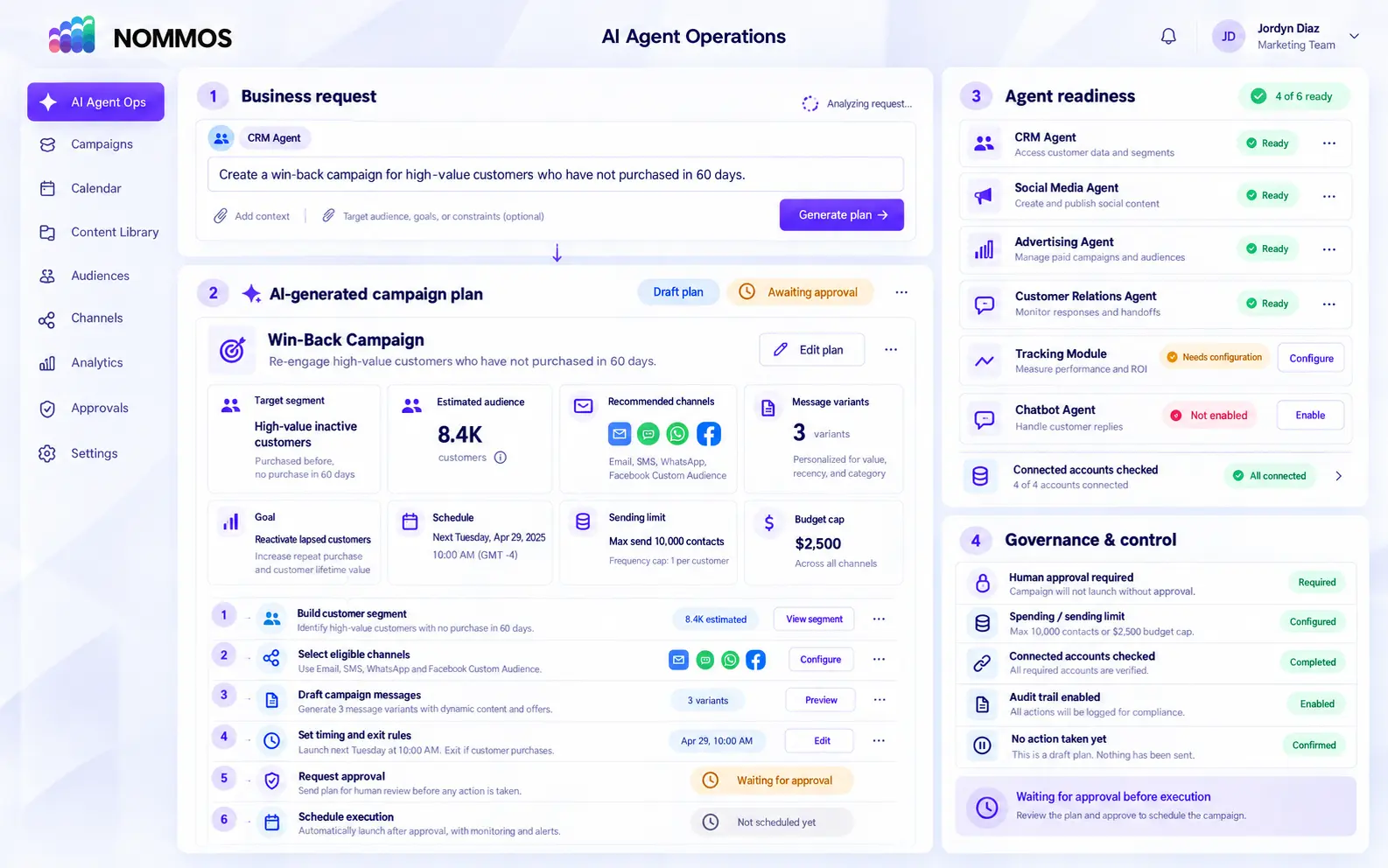
“Create a win-back campaign for customers who haven't bought in 60 days.”
A segment, a template and a broadcast — each previewable, with an estimated audience.
Nothing exists until you say so. What it creates is a draft, not a send.
Tell an agent what outcome you need. NOMMOS builds the steps, checks every dependency and shows you the plan before anything happens.
Start with a plain-language request instead of manually rebuilding segments, messages and workflow steps.
See the proposed audience, channels, content, timing and actions before the agent creates or sends anything.
If an account, permission or configuration is missing, NOMMOS identifies it and takes you directly to the required setup.
Edit, approve or reject the plan while the audit trail records every decision and agent action.
Letting agents act is only reasonable if you can see what they did afterwards.
Every action is recorded — which matters more when the actor was an agent rather than a person.
Watch an agent work in real time: initialising, running, completed.
A short summary at the top of your dashboard: what the agents did, what moved, and how many things need you.
An unread count and a list you can click straight through to whatever it is about.
A tool that marks its own uncertainty is easier to trust than one that never does. These are real messages from the product, not marketing positions.
Consumer trust in visibly AI-generated marketing has been falling, and most teams have no documented process for reviewing what their AI produces. The approval queue is that process, and it ships as part of the product.
The fastest way to understand the control model is to see the queue fill up and then change the setting that governs it.