
One campaign list
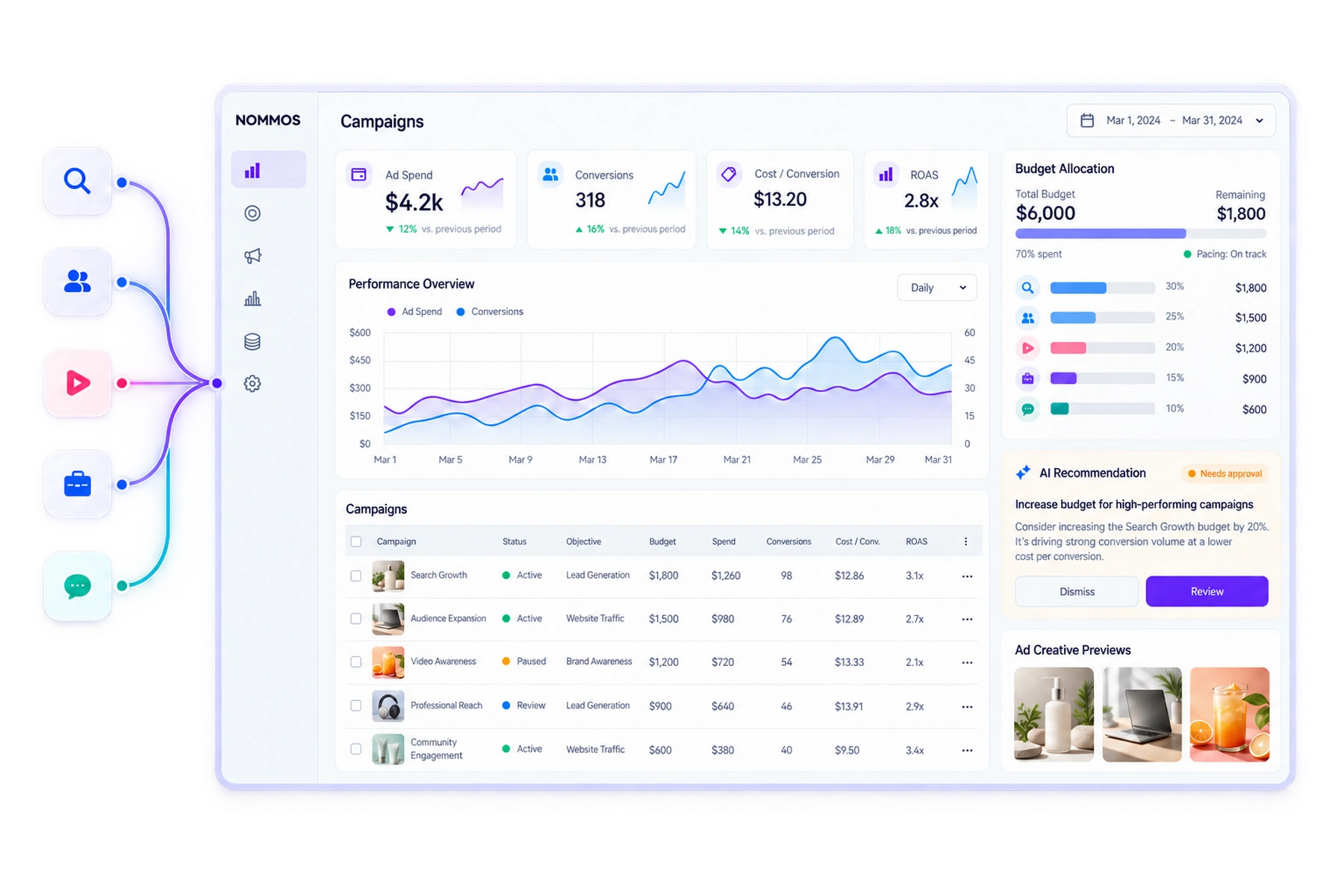
Total spend, impressions, clicks and return across every connected account, with spend broken down per platform.
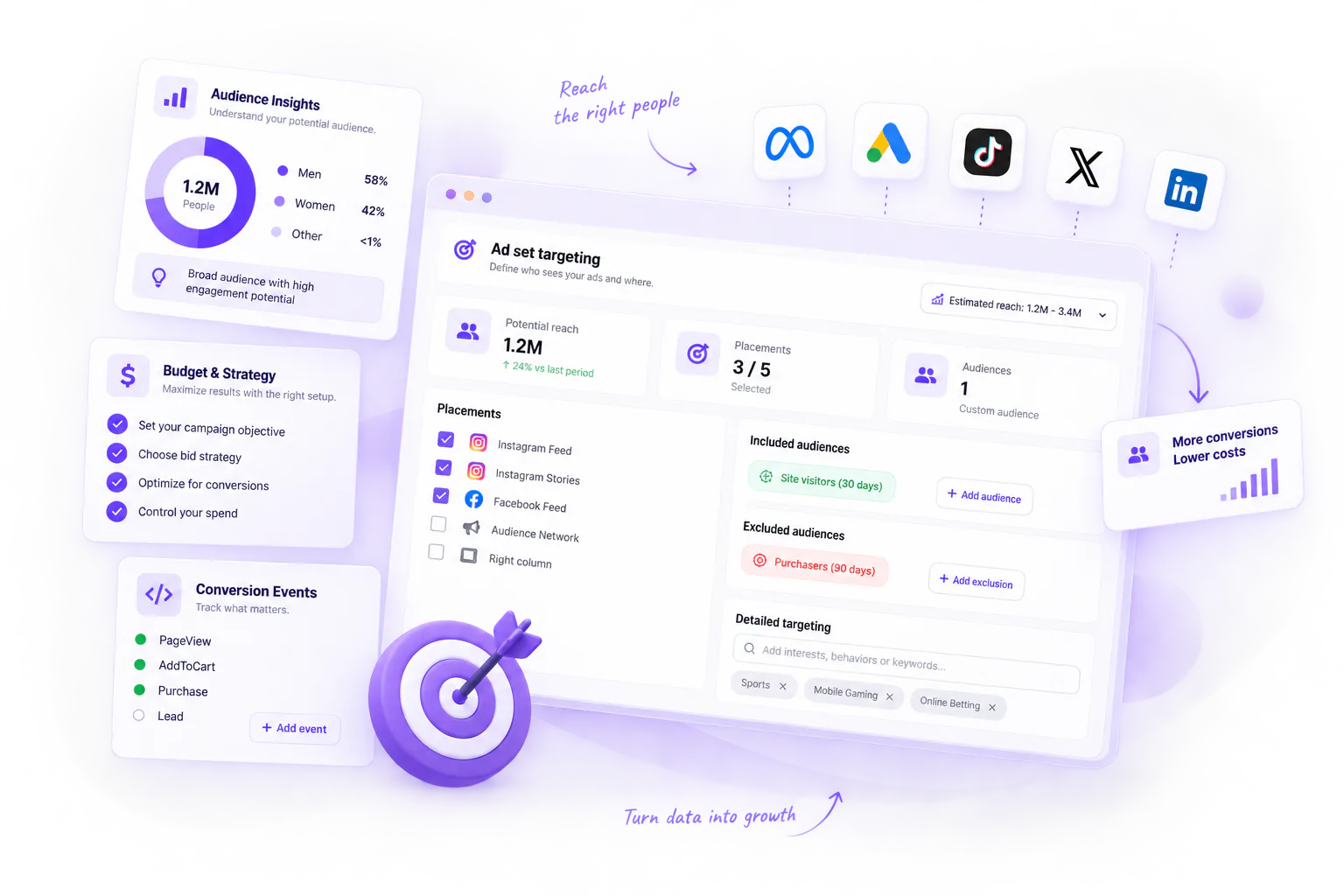
Meta, Google, TikTok, LinkedIn and X — created, monitored and optimised from one place, with the placements, bid strategies and retargeting audiences a media buyer actually checks for.
Pinterest and YouTube are supported for organic publishing and analytics, not ad buying. We list them on the Social Media page rather than here.
A marketer running five networks works in five interfaces with five vocabularies. Meta has ad sets, Google has ad groups, X has line items. Each has its own structure, its own idea of an objective, its own reporting period and its own currency handling.
Total spend, impressions, clicks and return across every connected account, with spend broken down per platform.
Five steps that adapt to whichever network you chose — platform, accounts, details, location targeting, then review before launch.
Token valid, expiring soon, expired or missing. Expired ad-account connections are the most common silent failure in cross-platform tools; here it is a status, not an error buried in a log.
It tells you when a campaign is on track for its flight dates, and when it is about to exhaust its budget early.
Consolidation only works if nothing important is lost. Bring the specific control you rely on and check it.
Describe what you want in a sentence and get variants. Your brand profile is applied automatically — nothing is pasted in. The interface shows the cost and your remaining monthly allowance.
Improve one copy field on its own, and apply one suggestion or all of them.
Describe your audience in plain language and receive a proposed age range, genders, locations, interests, behaviours and languages — with the reasoning shown — which you can then apply.
Generate an image from a description or edit an existing one by describing the change, with a version history labelling each as uploaded, generated or edited.
Turn an organic post that is already performing into an ad: pick it, see its engagement, check eligibility, create the ad from it.
Pre-publish guidance on an ad creative, expressed honestly as a percentile — “predicted to outperform about this share of similar creatives scored by this model”. It reports per-field signals for the headline, primary text, description, call to action and image.
Recommendations are specific: add a clearer call to action, reduce repetition between the headline and the primary text, this creative closely resembles another one — each with the option to ask the AI to fix it.
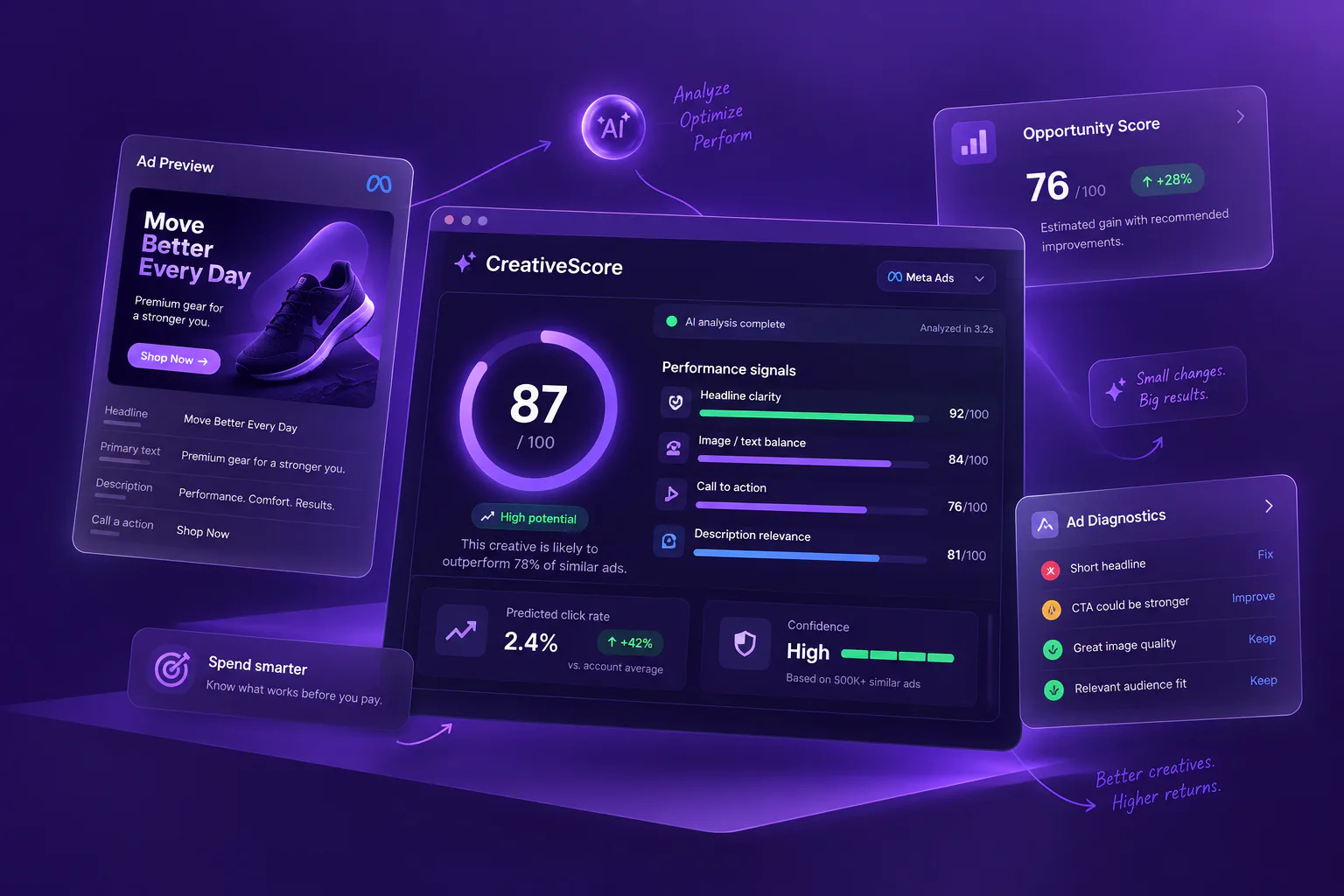
Rates a Meta account or campaign out of 100 against platform best practice, with recommendations that carry an estimated gain and can be applied in one click.
Surfaces Meta's own quality, engagement rate and conversion rate rankings with an overall health assessment — and states clearly that they need roughly 500 impressions before they mean anything.
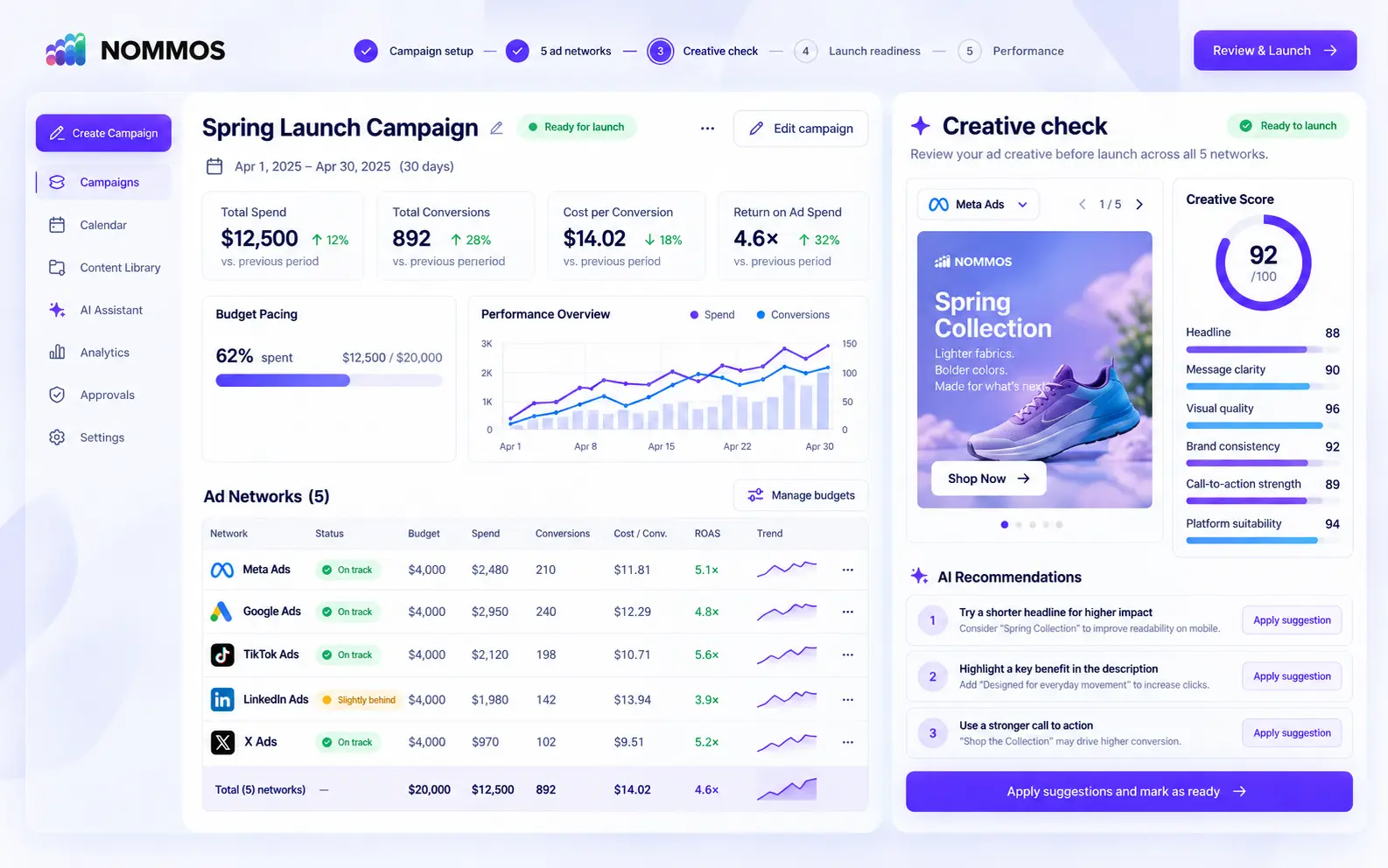
Plan, launch and measure campaigns across Meta, Google, TikTok, LinkedIn and X—then check every creative before your budget starts working.
Compare budget, spend, conversions and return across every supported advertising network without rebuilding the report.
Review message clarity, visual quality, brand consistency and call-to-action strength before approving the campaign.
Apply clear suggestions, review the updated score and launch only when the campaign is ready.
The most useful thing you can do in a demo is bring the one control you are certain a consolidated tool won't have.